
How to Stop WPForms Spam: 7 Effective Methods That Actually Work
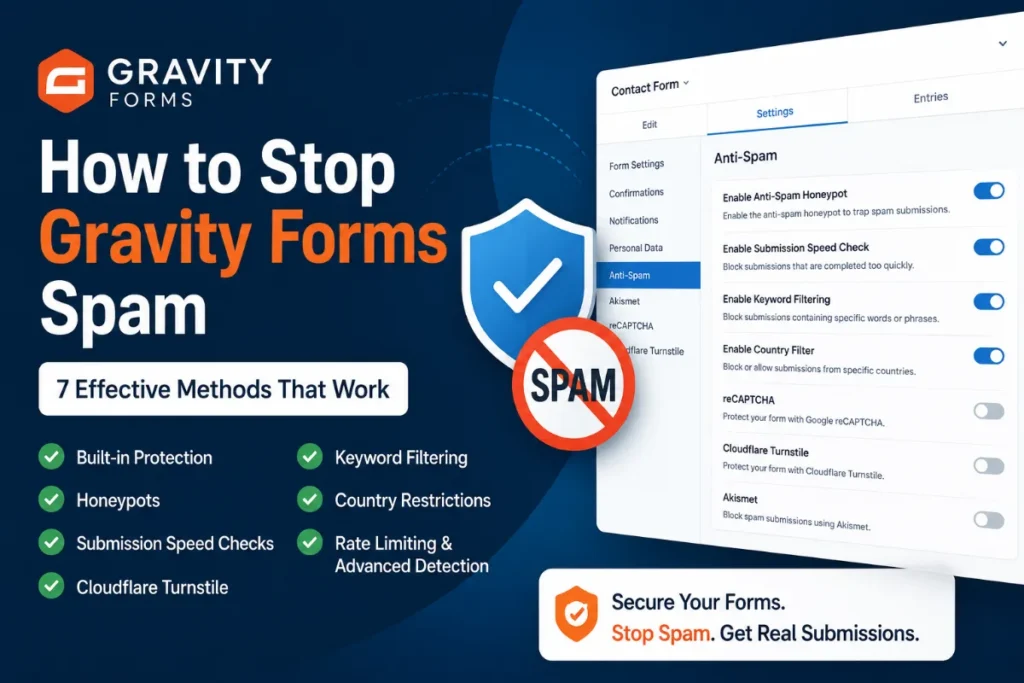
Still getting spam submissions through WPForms? Learn 7 practical ways to reduce and stop spam, from built-in WPForms protection to honeypots, keyword filtering, country restrictions, Turnstile, and advanced spam detection.
How to stop WPForms spam
The most effective way to stop WPForms spam is to use multiple layers of protection rather than relying on a single CAPTCHA or spam filter.
WPForms includes several built-in anti-spam features, including modern anti-spam protection, spam filters, country and keyword filtering, and integrations with services such as Akismet and Cloudflare Turnstile.
For more persistent spam, additional filtering and behavioral protection may be necessary.
If your WPForms are already protected but spam submissions keep getting through, the problem is usually not that you have no spam protection. It is that the spam is getting around the particular protection you are using.
This guide explains the main methods you can use to stop WPForms spam and when each method makes sense.
Why are my WPForms getting spam submissions?
WPForms is a popular WordPress form builder, which makes it a common target for automated form submissions.
Spam can come from simple bots that automatically submit hundreds of forms, but more sophisticated spam can behave much more like real visitors, making simple bot-detection techniques less effective.
Some automated systems can use real browsers, execute JavaScript, rotate IP addresses, and submit content that looks like a legitimate inquiry.
This is why a single protection mechanism may not be enough.
A good WPForms spam protection setup should ideally combine several different signals:
- Is the visitor behaving like a normal user?
- Did the form take a realistic amount of time to complete?
- Does the submission contain known spam words or patterns?
- Is the IP address associated with suspicious activity?
- Does the country or language match the website’s target audience?
- Does the submitted content look like spam?
- Has the same source submitted repeatedly?
The more independent signals you can evaluate, the harder it becomes for spam to get through.
1. Enable WPForms’ built-in anti-spam protection
The first thing you should check is WPForms’ own spam protection.
WPForms includes modern anti-spam protection designed to identify automated submissions without requiring the visitor to solve a CAPTCHA. It is available directly from the form builder under the spam protection and security settings.
For many websites, this is enough to significantly reduce basic automated spam.
However, built-in protection should be considered a starting point rather than a guarantee that every spam submission will be blocked.
When this method works well
Built-in protection is particularly useful against simple automated bots that follow predictable submission patterns.
When it may not be enough
If you are still receiving large numbers of spam submissions after enabling it, you should add additional layers instead of simply turning the same feature on and off.
2. Use a honeypot and behavioral checks
A honeypot is an invisible form field that normal visitors should never fill in.
A bot that automatically fills every available field may complete the hidden field. If that happens, the submission can be identified as suspicious.
Honeypots are useful because they do not require any action from the visitor. There is no puzzle, checkbox, or additional step.
However, honeypots are not a complete solution.
Modern bots can become more sophisticated and may learn to avoid obvious hidden fields. This is why behavioral signals can be useful alongside a honeypot.
For example, consider how long it takes to submit a form.
If a form contains several fields and is submitted almost instantly after the page loads, that behavior can be suspicious. On the other hand, a visitor who reads the page, fills out several fields, and submits the form after a reasonable amount of time looks much more like a normal user.
WPForms also provides a minimum-time-to-submit option as part of its spam prevention tools.
3. Add keyword and phrase filters
One of the most practical ways to stop recurring WPForms spam is to block words and phrases that repeatedly appear in unwanted submissions.
For example, if your website receives hundreds of spam messages containing the same promotional phrases, domains, or services, those patterns can become useful filtering signals.
WPForms includes a keyword filter that can be used to block submissions containing specific words or phrases. It also supports country filtering from its spam protection settings.
Example
Imagine that a contact form repeatedly receives messages containing phrases such as:
- casino
- crypto promotion
- payday loans
- SEO services
- adult content
- suspicious URLs
You can create a blacklist for recurring patterns.
The important thing is not to create an enormous blacklist immediately.
Start with patterns that you have actually observed in your spam submissions. This reduces the risk of blocking legitimate messages.
The limitation of keyword filtering
Keyword filtering is excellent at stopping known spam patterns.
It is less effective against spam that changes its wording every time.
For example, if every submission uses different text generated specifically to avoid known keywords, a simple blacklist will have difficulty identifying it.
That is why keyword filtering works best as one layer in a larger spam protection system.
4. Restrict submissions by country when appropriate
If your business only operates in a specific market, country-based filtering can sometimes remove a large amount of unwanted traffic.
For example, a local business serving customers exclusively in one country may have little reason to accept contact form submissions from dozens of unrelated countries.
WPForms includes a country filter that can allow or deny submissions based on country.
This can be particularly useful when you notice a strong geographic pattern in your spam.
But be careful
Country blocking should not be used blindly.
A visitor’s IP location is not necessarily their actual location, and legitimate customers can travel or use VPNs.
Country restrictions are therefore best used when they match the actual business requirements of the website.
For example:
A local service company that only operates in one country may reasonably block form submissions from countries it does not serve.
A global SaaS company probably should not.
5. Use CAPTCHA alternatives such as Cloudflare Turnstile
CAPTCHA has traditionally been one of the most common ways to prevent automated form submissions.
The problem is that CAPTCHA adds friction to the user experience.
Depending on the implementation, visitors may have to interact with a checkbox, solve a visual challenge, or wait for a verification process to complete.
Cloudflare Turnstile is one alternative. WPForms supports Turnstile as part of its spam protection integrations.
For many websites, Turnstile is a good additional layer because it is designed to work without the traditional “select all the traffic lights” experience.
However, it is important to understand that no single anti-spam mechanism should be treated as a guarantee.
If spam continues after installing Turnstile, adding another CAPTCHA is not necessarily the answer.
The better question is:
What type of spam is getting through, and which signal is missing from the current protection?
For a deeper look at why spam can continue even when Cloudflare Turnstile is enabled, see our guide on How to Stop Elementor Form Spam Even With Cloudflare Turnstile Enabled.
6. Block suspicious IP addresses and repeated sources
IP-based filtering can be very effective when the same sources repeatedly attack your forms.
For example, if a specific IP address submits dozens or hundreds of spam messages in a short period, blocking or challenging that source can immediately reduce the volume.
However, IP blocking has an important limitation.
Spammers can rotate IP addresses.
This means that a blacklist containing thousands of individual IP addresses can become difficult to maintain and may still miss new sources.
For that reason, IP reputation works better when combined with other signals such as submission behavior, content analysis, rate limits, and known spam patterns.
The goal should not be to build the world’s largest IP blacklist.
The goal should be to identify suspicious behavior early enough to stop it.
7. Use rate limiting and advanced spam detection
This is one of the most important principles in effective WPForms spam protection.
There is no universal filter that identifies every type of spam.
Rate limiting can help when a form receives a high number of submissions from the same source or within a short period of time. Instead of trying to identify every individual spam message, you can limit how frequently a visitor or source is allowed to submit.
For more sophisticated spam, additional signals can include:
- Behavioral detection
- Honeypots
- Time-based checks
- Keyword and phrase filtering
- IP reputation
- Country restrictions
- Language detection
- Rate limiting
- Content analysis
- AI-based spam detection
You do not necessarily need all ten layers on every website.
The right configuration depends on the type and volume of spam you are receiving.
Which WPForms spam protection method should you use?
| Spam problem | Recommended approach |
|---|---|
| Basic automated bots | Built-in protection + honeypot |
| Repeated spam phrases | Keyword filtering |
| Spam from specific countries | Country filtering |
| High-volume submissions | Rate limiting + IP controls |
| Spam bypassing CAPTCHA | Behavioral + content-based detection |
| Sophisticated spam | Multiple layers + advanced spam detection |
The goal is not to use every possible spam protection feature.
The goal is to use the right combination for the type of spam your website is actually receiving.
What is the best way to stop WPForms spam?
For most websites, I would start with the following approach:
Basic protection
- Enable WPForms’ built-in anti-spam protection.
- Add a honeypot or behavioral protection.
- Keep your form fields and validation rules sensible.
If spam continues
Add:
- Keyword filtering
- Country filtering where appropriate
- IP blocking or reputation checks
- Rate limiting
- CAPTCHA or Turnstile if needed
If you are dealing with sophisticated spam
Consider adding:
- Content analysis
- Language-based filtering
- Behavioral analysis
- AI-based spam detection
- Multiple independent spam signals
The important part is to avoid treating spam protection as a single switch.
It is better to think of it as a layered system.
What if I am still getting WPForms spam?
If you have already enabled several spam protection methods and spam is still getting through, start by looking at the actual submissions.
Ask:
Are the messages similar?
If yes, keyword or content filtering may help.
Are they coming from the same countries?
If yes, geographic filtering may help.
Are they coming from the same IP addresses?
If yes, IP reputation or blocking may help.
Are they submitted almost instantly?
If yes, time-based or behavioral protection may help.
Does every message look different?
If yes, simple keyword filtering may not be enough.
Do the submissions look like they were written by real people?
If yes, you may need more advanced content or behavioral analysis rather than relying only on bot detection.
This approach is much more effective than randomly installing additional anti-spam plugins and hoping one of them solves the problem.
WPForms spam protection: a practical checklist
Before looking for another solution, check these items:
- WPForms built-in anti-spam protection is enabled
- A honeypot or behavioral protection layer is active
- Minimum submission time is configured where appropriate
- Recurring spam keywords have been identified
- Country restrictions have been considered
- Suspicious IP addresses or sources have been reviewed
- Rate limiting is considered for high-volume attacks
- CAPTCHA or Turnstile is used when appropriate
- Spam submissions are periodically reviewed for new patterns
- The protection strategy is adjusted based on the actual spam being received
For a complete overview of the form builders supported by Maspik, see the WordPress Form Integrations documentation.
Frequently Asked Questions
Why am I getting spam through WPForms?
WPForms forms can receive automated and sophisticated spam submissions. Built-in protection can significantly reduce spam, but persistent attacks may require additional layers such as keyword filtering, country restrictions, behavioral checks, IP reputation, rate limiting, or content analysis.
Does WPForms have built-in spam protection?
Yes. WPForms includes built-in anti-spam protection and additional options such as keyword and country filters, minimum-time checks, spam entry storage, and integrations with services including Akismet and Cloudflare Turnstile.
Can I stop WPForms spam without CAPTCHA?
Yes. CAPTCHA is only one possible method. Honeypots, behavioral checks, time-based detection, keyword filtering, country restrictions, IP reputation, rate limiting, and content analysis can all contribute to spam prevention.
Why does spam get through my CAPTCHA?
CAPTCHA is primarily designed to distinguish automated traffic from human users. More sophisticated spam campaigns may use real browsers, human-solving services, or other techniques that reduce the effectiveness of CAPTCHA alone.
For that reason, CAPTCHA is often more effective as one layer of a broader spam protection strategy.
What is the best WPForms spam protection?
There is no single best method for every website. The most reliable approach is usually a combination of multiple independent signals, selected according to the type of spam your website actually receives.
When Built-in WPForms Protection Isn’t Enough
If you have tried the built-in WPForms protection and are still receiving unwanted submissions, Maspik can provide a multi-layer spam protection solution for WPForms and other WordPress forms.
It combines multiple types of protection, including advanced spam filtering, honeypot and behavioral protection, IP controls, country and language restrictions, and additional spam detection methods.
WPForms is supported in Maspik Pro, along with other popular WordPress form builders. You can see the full list of WordPress Form Integrations supported by Maspik.
The goal is simple: stop unwanted submissions without making legitimate visitors jump through unnecessary CAPTCHA challenges.